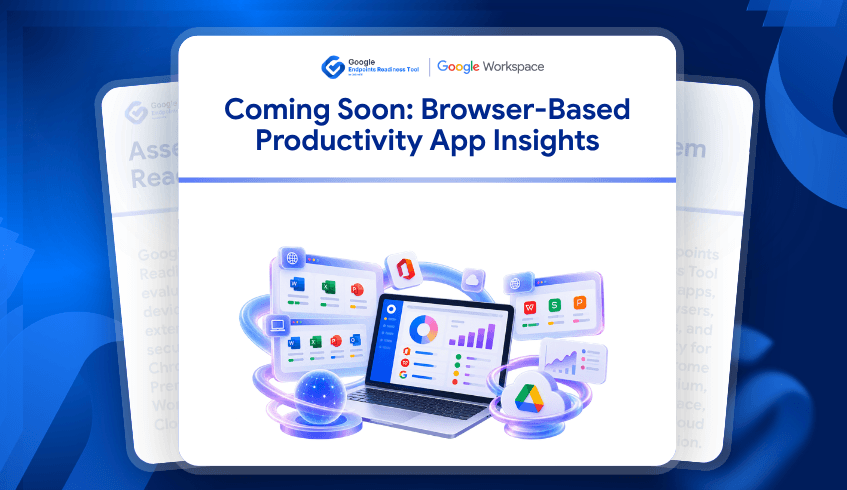
Coming Soon: Browser-Based Productivity App Insights
Organizations planning a Google Workspace migration need to understand more than which productivity applications are installed on their devices. Employees may work through desktop applications, browser-based tools, or a combination of both. Without visibility into these different usage patterns, IT teams may overlook existing dependencies and make migration decisions using incomplete information.
Google Endpoints Readiness Tool (GRT) is expanding its Workspace Readiness capabilities to address this gap. The upcoming enhancement will extend productivity application visibility beyond desktop applications to include browser-based Microsoft 365 and WPS Office usage, helping organizations build a more complete picture of their productivity environment.
From Desktop Applications to Browser-Based Usage
GRT Workspace Readiness already helps organizations assess installed Microsoft 365 and WPS Office applications, identify used and unused applications, review file types and macro dependencies, analyze compatibility, and explore Google Workspace alternatives.
However, employees do not always rely on installed software to complete their daily tasks. Applications such as Word for the web, Excel for the web, PowerPoint for the web, and Outlook on the web allow users to work directly through their browsers. When this activity is not included in the readiness assessment, organizations may miss an important part of their existing productivity landscape.
The upcoming enhancement will incorporate supported browser-based productivity usage using URL data already collected by GRT's data collectors. This will expand the assessment without requiring additional endpoint data collection.
Understand How Applications Are Actually Used
Knowing that an application is installed does not necessarily mean employees actively use it. Similarly, identifying browser-based usage alone does not reveal whether users also depend on the desktop version.
The upcoming enhancement will introduce three usage classifications to help administrators distinguish between these patterns:
Desktop Only: Usage is detected through the installed desktop application, with no corresponding browser usage detected.
Browser Only: Usage is detected through the browser, without detected usage of the corresponding desktop application.
Desktop + Browser: Usage is detected through both the installed application and its browser-based equivalent.
These classifications will help IT teams understand how supported productivity applications are accessed across their environment. Administrators will also be able to distinguish between applications that are actively used and those that are installed but have no detected activity during the assessment period.
A More Complete View of Migration Dependencies
Consider an organization preparing to move its employees to Google Workspace. Some employees may primarily use desktop applications, while others rely on browser-based productivity tools or switch between both experiences. If the assessment only accounts for installed applications, the organization may underestimate browser adoption and overlook differences in how employees complete their work.
With the upcoming Workspace Readiness enhancement, administrators will be able to examine these usage patterns across the organization and review productivity applications separately within each device's details. Existing visibility into file extensions, macro dependencies, compatibility, and Google Workspace alternatives will remain part of the assessment.
The dashboard will also provide organization-level application usage insights, including desktop-only, browser-only, and combined usage, alongside information about commonly used applications and the number of devices using them. These insights can help teams prioritize migration planning, investigate potential dependencies, and identify opportunities to review installed but unused software.
Better Visibility Before the Migration Decision
A successful migration starts with understanding the environment that exists today. By bringing desktop and browser-based productivity usage into a more complete readiness view, GRT aims to help organizations make decisions based on a clearer understanding of their application dependencies and employee usage patterns.
The enhancement will complement existing Workspace Readiness capabilities rather than replace them. Administrators will continue to have access to application compatibility information, file types, macro visibility, and Google Workspace alternatives while gaining additional context about how supported productivity applications are accessed.
A more complete view of productivity application usage is coming soon to Google Endpoints Readiness Tool.
Stay tuned for a clearer way to understand productivity dependencies before your Google Workspace migration.
Frequently Asked Questions
What is the upcoming Workspace Readiness enhancement?
It is an upcoming GRT enhancement that expands Workspace Readiness beyond installed desktop applications to include supported browser-based Microsoft 365 and WPS Office application usage.
What usage classifications will be available?
The enhancement will distinguish between Desktop Only, Browser Only, and Desktop + Browser usage, helping administrators understand how supported applications are accessed.
Will the enhancement require additional endpoint data collection?
No. The planned enhancement will reuse existing URL data collected by GRT's data collectors alongside the current Workspace Readiness application data.
Will existing Workspace Readiness capabilities remain available?
Yes. Existing capabilities covering installed applications, used and unused applications, file types, macro dependencies, compatibility, and Google Workspace alternatives will continue to be supported.
How will this help with Google Workspace migration planning?
The additional visibility will help organizations understand browser adoption, identify productivity application usage patterns, review dependencies, and make more informed migration planning decisions.