Insights

Explore key tools, smart features, and expert insights...

Korean Air ChromeOS Migration and Legacy Application Readiness
October 8, 2026

What Korean Air Shows About Moving to ChromeOS Without Leaving Legacy Apps Behind

Moving an organization to ChromeOS is rarely just a hardware replacement project. One of the bigger questions is what happens to the applications employees still depend on, particularly software that was built for traditional Windows environments.

Korean Air’s ChromeOS transformation provides a strong real-world example.

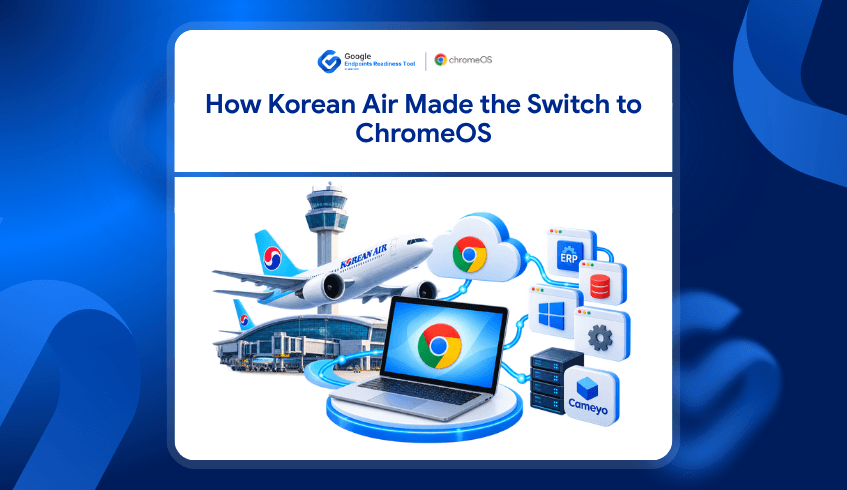
After successfully introducing ChromeOS in its contact center, Korean Air began expanding ChromeOS as an enterprise standard, with plans to scale to 14,000 devices company-wide. But the airline also identified an important dependency: around 40% of its workforce still required access to legacy applications.

Rather than allowing those applications to stop the wider modernization effort, Korean Air worked with Cameyo to bridge that gap.

For other organizations considering ChromeOS, this raises an important question:

Which applications can move easily, and which ones need another path?

That is where application readiness becomes important.

Korean Air Started With a Real Operational Problem

Korean Air’s modernization journey began in its Seoul contact center, where older systems were creating operational friction.

Legacy devices could take five to seven minutes to boot, while forced updates and system issues interrupted work in an environment operating almost around the clock.

The airline initially deployed 670 ASUS Chromeboxes for around 700 users. ChromeOS provided faster startup, centralized management, and a more streamlined environment for contact-center employees.

Following that deployment, Korean Air decided to expand ChromeOS across the wider organization.

But scaling from one use case to thousands of employees introduced another challenge.

Not every employee worked entirely through web applications.

Legacy Applications Did Not Disappear With the Move to ChromeOS

Korean Air found that roughly 40% of its workforce still needed access to legacy applications.

That is an important part of the story because it reflects a situation many enterprises face.

An organization may already use cloud services, browser-based applications, and Google Workspace extensively, but some departments can still depend on Windows applications, ERP systems, specialist tools, or other software that cannot simply be replaced during an operating-system migration.

Korean Air used Cameyo to help provide continued access to those applications while expanding ChromeOS.

Google’s broader work with Cameyo and ChromeOS is designed around this challenge. Virtual application delivery allows organizations to make legacy applications available to ChromeOS users without requiring a complete Windows desktop environment.

The lesson is not that every legacy application should automatically be virtualized.

The lesson is that legacy application dependency needs to be understood before migration decisions are made.

Application Readiness Can Change the Migration Plan

A ChromeOS migration can look straightforward at the device level while becoming much more complicated once application dependencies are considered.

Different applications may require different approaches.

Some may already work well in a browser or have a web-based alternative. Others may need further validation. Some may continue to depend on Windows, while certain applications may be suitable for virtualization.

This means IT teams need more than a list of installed applications.

They need to understand how those applications affect ChromeOS readiness.

That is where Google Endpoints Readiness Tool (GRT) fits.

GRT Helps Identify Application Readiness Before Migration

Google Endpoints Readiness Tool (GRT) is an enterprise readiness assessment platform that helps IT and security teams understand whether their current environment is ready for Chrome Enterprise Premium, ChromeOS, and secure enterprise browsing.

For ChromeOS planning, GRT evaluates the applications present across the existing environment and provides readiness information that helps teams determine where further investigation may be required.

Applications can be grouped into readiness categories such as:

  • Chrome Ready for applications that are compatible with the ChromeOS migration path

  • Possibly Ready where additional review or configuration may be needed

  • Blocker where an application may prevent or complicate migration

  • Unknown where further assessment is still required

Instead of discovering application dependencies after ChromeOS devices have already been deployed, teams can identify them while planning the migration.

Virtualization Adds Another Path for Applications That Cannot Move Directly

An application being unsuitable for native ChromeOS use does not automatically mean the user or device has to remain on Windows.

GRT also provides Virtualization insights to help teams understand application readiness for virtualization and identify critical applications that may be suitable for continued access through Cameyo.

This creates a more practical migration decision.

Instead of simply asking:

“Does this application run on ChromeOS?”

IT teams can consider:

“If it cannot move directly, is there another viable way to provide access?”

That distinction matters in enterprise environments where a relatively small number of legacy applications can otherwise hold back a much larger group of users.

Korean Air Shows Why Migration Does Not Have to Be All or Nothing

Korean Air’s story is useful because the organization did not wait for every legacy dependency to disappear before moving toward ChromeOS.

Its contact-center deployment demonstrated the operational benefits first. The organization then expanded the strategy while addressing the legacy applications still required by part of its workforce.

For another organization, the percentages and applications will be different.

One department may already be almost entirely browser-based.

Another may rely on one critical Windows application.

A third may have several applications that need additional investigation.

Treating all of those users as having the same migration readiness can make planning unnecessarily difficult.

Application-level insight helps teams identify those differences earlier.

From Application Inventory to a Practical ChromeOS Migration

The Korean Air example shows that successful ChromeOS adoption does not necessarily require eliminating every legacy application first.

What matters is understanding the dependency and choosing an appropriate path.

That could mean moving a web-ready application directly, reviewing another application further, replacing an application where a suitable alternative exists, or using virtualization when continued access is required.

GRT helps bring that readiness information together before organizations make wider migration decisions.

Instead of allowing a few unknown applications to create uncertainty around an entire ChromeOS project, IT teams can see where the actual dependencies exist and plan around them.

Moving Forward Without Losing Access to Critical Applications

Korean Air is scaling toward a ChromeOS environment while still supporting employees who depend on legacy software.

That makes its experience a useful reminder that modernization and legacy application access do not always have to be competing goals.

For organizations considering a similar move, the first step is understanding what is already ready and what still needs another path.

In this context, Google Endpoints Readiness Tool helps IT teams evaluate application and device readiness, identify potential migration blockers, and understand where Cameyo virtualization may provide an alternative path for critical applications.

The goal is not simply to determine whether an organization can move to ChromeOS.

It is to understand who can move, what can move with them, and what needs to be addressed before the migration expands.

What Hackensack Meridian Health (HMH) Shows About CEP Readiness in Healthcare
October 5, 2026

What Hackensack Meridian Health (HMH) Shows About CEP Readiness in Healthcare

Healthcare organizations increasingly depend on the browser to give clinicians and staff access to patient information, cloud applications, internal systems, and everyday business tools. As more of that work moves into the browser, protecting the browser environment becomes an important part of protecting sensitive healthcare data.

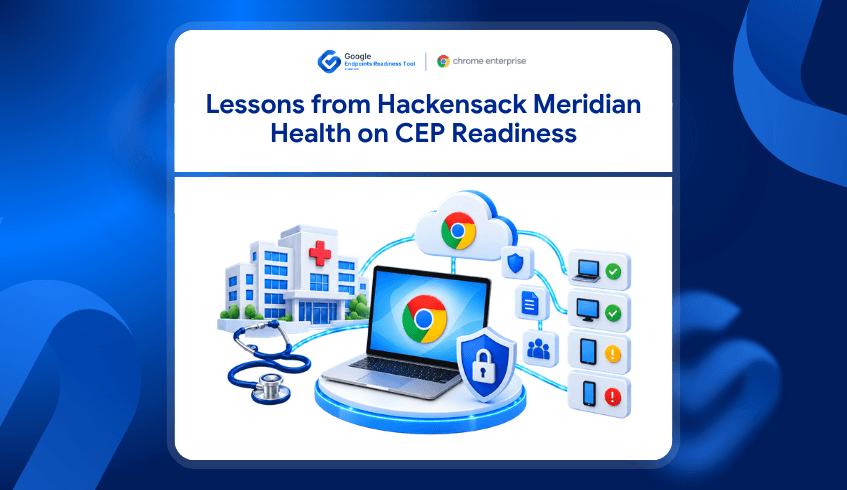
Hackensack Meridian Health’s Chrome Enterprise journey provides a strong real-world example. The healthcare network standardized on Chrome Browser and manages around 60,000 browsers across more than 500 locations. Google reports that browser-related support tickets dropped by 25%, while HMH also strengthened visibility, extension management, and secure access to patient information.

Google’s Chrome Enterprise Premium documentation also highlights HMH as a healthcare customer using advanced Chrome Enterprise security to help secure endpoint access to patient data while reducing support requirements.

For another healthcare organization considering a similar secure-browser strategy, however, selecting Chrome Enterprise Premium is only part of the journey.

The next question is:

Is the current endpoint environment actually ready for CEP deployment?

That is where Google Endpoints Readiness Tool can help.

Healthcare Is Becoming More Browser-Centric

HMH operates across hospitals, ambulatory care centers, rehabilitation facilities, wellness locations, and other healthcare environments. Its clinicians and employees need consistent access to applications whether they are working inside healthcare facilities or remotely.

Chrome became HMH’s default browser because the organization wanted easier management, better browser-fleet visibility, less troubleshooting, and stronger extension management. Chrome Browser Cloud Management also enabled the IT team to manage browsers, accounts, and applications across its distributed environment.

This reflects a broader shift across healthcare. As electronic health records and critical applications increasingly move to the web, Google describes the browser as an important frontline for both clinical workflows and patient-data security in its healthcare-focused Chrome Enterprise update.

Chrome Enterprise Premium Adds Protection Where Healthcare Work Happens

For healthcare organizations, secure enterprise browsing is not simply about managing a browser.

Chrome Enterprise Premium adds browser-level security capabilities designed to help protect sensitive information and secure access to healthcare applications. Google highlights capabilities such as data loss prevention, threat protection, real-time URL scanning, phishing and malware protection, and controls around actions such as copy and paste, printing, and screen capture.

Google is also expanding Chrome Enterprise integrations for healthcare workflows, including work involving Epic, Imprivata, and Omnissa, with a focus on secure application access, clinician authentication, device health, and modernized clinical workflows.

The value is clear. But deploying advanced browser security across a healthcare environment can involve thousands of devices, multiple locations, different user groups, existing policies, networks, applications, and legacy dependencies.

That makes deployment readiness important.

Secure Browser Adoption Starts With Knowing Whether the Environment Is Ready

HMH shows what secure and centrally managed browser adoption can support at healthcare scale.

But another healthcare organization cannot assume its own environment is immediately ready for the same type of rollout.

Some devices may be prepared for CEP deployment. Others may have technical or operational conditions that need review first. Existing policies, network conditions, device configurations, or legacy dependencies may also influence how smoothly deployment can proceed.

Discovering those issues after rollout begins can create additional troubleshooting and deployment effort.

Identifying them earlier gives IT and security teams more room to plan.

Google Endpoints Readiness Tool Helps Teams Check CEP Deployment Readiness First

Google Endpoints Readiness Tool is an enterprise readiness assessment platform that helps IT and security teams understand whether their current environment is ready for Chrome Enterprise Premium, ChromeOS, and secure enterprise browsing.

For organizations considering CEP, CEP Deployment Readiness Insights helps assess device readiness before deployment and identify potential issues or blockers that may need attention first. The current Google Endpoints Readiness Tool Insights content positions CEP readiness around understanding whether devices, browsers, policies, networks, and existing environments are prepared before rollout.

This allows healthcare IT teams to move from a broad question such as:

“Should we adopt stronger browser security?”

to more practical deployment questions:

  • Which endpoints appear ready to move forward?

  • Which devices need further review?

  • Where could deployment issues create friction?

  • Which areas should be addressed before rollout expands?

Instead of approaching CEP as one fleet-wide switch, teams can use readiness information to plan deployment around the condition of their actual environment.

From Healthcare Security Goals to a Practical CEP Rollout

Hackensack Meridian Health demonstrates the value of treating the browser as an important enterprise platform.

With tens of thousands of browsers across hundreds of locations, HMH gained centralized management, better visibility, reduced troubleshooting, and secure access to patient information.

For healthcare organizations looking toward Chrome Enterprise Premium, Google Endpoints Readiness Tool supports the stage before that outcome.

It helps IT and security teams understand whether the endpoint environment is prepared for CEP deployment and where additional attention may be required before security controls are rolled out more widely.

The connection is straightforward:

Chrome Enterprise Premium helps strengthen secure enterprise browsing. Google Endpoints Readiness Tool helps organizations understand whether their environment is ready to deploy it.

Why Readiness Matters More in Healthcare

Healthcare environments rarely consist of one type of user working from one type of device.

Clinicians, administrators, remote employees, call-center teams, and other staff may access different applications across hospitals, clinics, offices, and remote environments. HMH itself illustrates this complexity across more than 500 locations and a wide range of healthcare workflows.

A readiness-based approach helps teams identify where CEP deployment may be straightforward and where additional preparation is needed before expanding.

For healthcare IT, that means the move toward stronger browser security can be planned around the real endpoint environment rather than assumptions.

From Browser Visibility to Secure Healthcare Readiness

Hackensack Meridian Health shows what can happen when the browser becomes a managed and secure part of the healthcare environment.

For organizations considering the next step with Chrome Enterprise Premium, the goal should not simply be to deploy advanced security controls as quickly as possible.

The goal is to understand the environment first.

Google Endpoints Readiness Tool helps healthcare IT and security teams assess CEP deployment readiness, identify areas that may need attention, and build a more informed path toward secure enterprise browsing.

FAQ

Did Hackensack Meridian Health use Google Endpoints Readiness Tool?

The customer story does not state that HMH used Google Endpoints Readiness Tool. HMH is used here as a real-world healthcare example of secure Chrome adoption and Chrome Enterprise security at scale.

Why is HMH relevant to Chrome Enterprise Premium?

Google’s Chrome Enterprise Premium documentation highlights Hackensack Meridian Health as a healthcare customer using advanced Chrome Enterprise security to help secure endpoint access to patient data while reducing support requirements.

How does Google Endpoints Readiness Tool connect to this use case?

Google Endpoints Readiness Tool helps organizations assess whether their existing endpoint environment is ready for Chrome Enterprise Premium deployment and identify potential issues that may need review before rollout. Explore Google Endpoints Readiness Tool Insights.

Why does CEP readiness matter in healthcare?

Healthcare environments can span many devices, locations, applications, policies, and user groups. Understanding endpoint readiness before deployment can help teams identify potential issues earlier and plan CEP rollout more effectively.

 From AI Adoption to Automation: The FOX Sports Approach
September 30, 2026

FOX Sports: From AI Experiments to Enterprise AI Operations

When FOX Sports prepared for the expanded FIFA World Cup, the challenge was not simply broadcasting more matches.

The tournament included 48 teams, 104 matches, 16 host cities, and generated more than 11,500 hours of recordings, 23,000 files, and 85,000 subclips. Production teams needed to find specific moments, interviews, and highlights within seconds while delivering content to audiences across multiple platforms in near real time. To support that scale, FOX Sports embedded AI deeply into its production operations, using Gemini-powered search, automated tagging, intelligent content discovery, and agentic workflows that helped teams locate and use content faster than ever before.

The technology challenge was not simply deploying AI. It was making AI useful across a large, distributed workforce.

As FOX Sports explained, the goal was to help more than 1,200 team members quickly find the information they needed while maintaining the reliability expected from one of the world's largest sporting events. Their approach demonstrates something many organizations are now discovering: successful AI adoption requires more than access to powerful models. It requires visibility, governance, and a clear understanding of where AI can create value. 

Before organizations deploy Gemini, AI agents, or enterprise automation initiatives, they first need to understand how AI is already being used and which workflows are ready for deeper automation.

The Real Challenge Is Not Deploying AI

Most organizations already have AI inside their environment. Employees use browser-based AI assistants. Teams experiment with AI productivity tools. Developers install AI coding assistants. Departments adopt workflow automation platforms. Business users increasingly rely on AI features embedded inside applications they use every day.

The challenge is that many organizations cannot see the complete picture. AI adoption often happens faster than governance.

Different teams introduce different tools. Some applications are approved. Others are not. Some employees interact directly with AI platforms, while others use AI through existing productivity tools without realizing it. Before organizations can build enterprise-scale AI experiences like those seen at FOX Sports, they need visibility into what is already happening across their environment.

Understanding AI Usage Before Scaling AI Adoption

The FOX Sports deployment succeeded because the organization understood how AI would support real business workflows.

The objective was not AI for the sake of AI. The objective was helping teams discover content faster, automate repetitive tasks, and support production decisions in real time. AI became valuable because it was connected to meaningful work. 

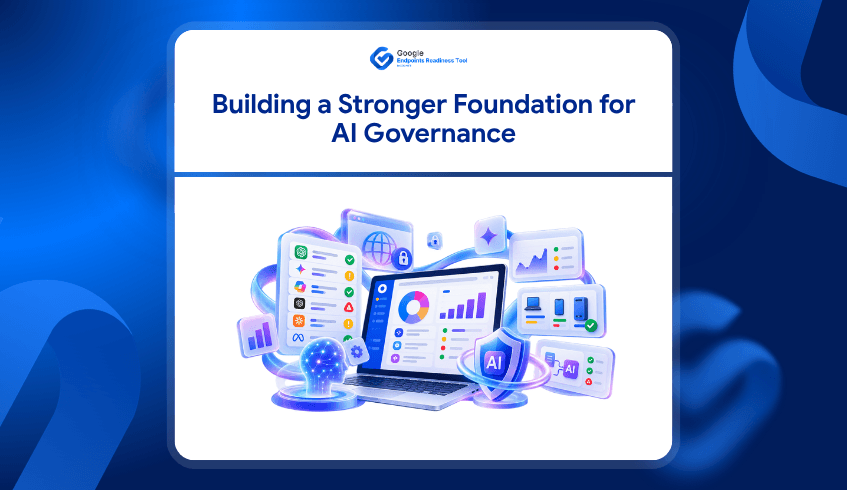
Organizations pursuing similar outcomes need the same level of understanding. The AI Insights capability within the Google Endpoints Readiness Tool helps organizations gain visibility into AI activity across their environment. It provides insight into installed AI applications, browser-accessed AI tools, local LLMs, workflow automation platforms and browser-integrated AI experiences.

This creates a more complete picture of AI adoption across the enterprise. Instead of relying on assumptions, IT teams can understand which AI technologies are being used, where they are being used and whether they align with organizational policies.

Visibility Is the First Step Toward AI Governance

As AI adoption grows, governance becomes increasingly important. Organizations need to understand not only which AI tools exist within the environment but also whether those tools should be approved for business use.

This challenge becomes more significant as employees adopt AI-powered applications independently. Browser extensions, local AI models, AI workflow platforms, and embedded assistants can all introduce governance and security considerations if they operate outside organizational oversight.

AI Insights helps organizations move beyond simple discovery. By identifying sanctioned and unsanctioned AI technologies across devices and browsers, organizations gain a clearer understanding of where governance policies may need to be strengthened. This allows teams to build AI strategies based on visibility rather than assumptions. For many organizations, this becomes an essential foundation before broader AI initiatives begin.

Why Agentic Workflows Matter More Than Individual AI Tools

One of the most interesting aspects of the FOX Sports story is that the value did not come from a single AI application. The value came from workflows. AI-powered search helped teams find content faster. Automated tagging accelerated asset management. AI-assisted content discovery reduced manual effort. Different capabilities worked together to support larger business processes.

This reflects a broader shift happening across enterprises. Organizations are moving beyond isolated AI tools and toward agentic workflows that span multiple systems, applications, and business processes. At the same time, Gemini Enterprise is making AI agents more persistent. Long-running agents can maintain context, support multi-step tasks, and participate in workflows that continue across hours or even days.

That creates an important question.

Which workflows are actually ready for that level of automation?

Workflow Readiness Should Come Before Workflow Automation

Not every business process should become an AI-driven workflow.

Some processes are highly repetitive and structured. Others depend heavily on human judgment. Some workflows are excellent candidates for automation, while others require more review before AI can be introduced effectively.

This is where Agentic Workflows within the Google Endpoints Readiness Tool provides value. Rather than starting with automation ideas and searching for a use case, organizations can begin by understanding how work currently happens. Teams gain visibility into workflow patterns and can identify processes that may be suitable for future AI-driven automation initiatives.

This creates a more practical path toward agent adoption. Instead of automating based on enthusiasm, organizations can prioritize workflows that already demonstrate strong readiness characteristics.

From AI Visibility to AI Readiness

The FOX Sports story highlights a reality many organizations are now facing. AI is no longer a future initiative. It is already becoming part of how people work. The organizations that succeed will not necessarily be those with the most AI tools. They will be the organizations that understand how AI is being used, where governance is required, and which workflows are genuinely ready for automation.

The Google Endpoints Readiness Tool helps organizations build that understanding.

Through AI Insights, organizations gain visibility into AI adoption across devices, browsers, applications, local models, and workflow platforms. Through Agentic Workflows, they can evaluate workflow readiness before expanding into deeper Gemini-powered automation. Because successful AI adoption does not begin with deploying another AI tool. It begins with understanding the environment where AI will operate. FAQs

1. What can organizations learn from FOX Sports’ AI approach?

FOX Sports shows how AI can support real business workflows through content discovery, automation, and intelligent search at scale.

2. Why is AI usage visibility important?

AI usage visibility helps organizations understand which AI tools, applications, models, and workflow platforms are being used across their environment.

3. How does AI Insights support AI governance?

AI Insights identifies AI technologies across devices and browsers and helps distinguish sanctioned and unsanctioned usage for better governance.

4. What are agentic workflows?

Agentic workflows use AI agents to support multi-step tasks and business processes, often across multiple applications or systems.

5. Why should organizations assess workflow readiness before automation?

Assessing workflow readiness helps organizations identify processes that are suitable for AI automation before investing in more complex agentic workflows.

 What Roche Shows About Turning CEP Readiness Into Action
September 28, 2026

What Roche Shows About Turning CEP Readiness Into Action

Organizations invest heavily in security technologies, yet many still struggle with a fundamental challenge: turning security strategy into operational reality.

A useful example comes from Roche, one of the world's largest healthcare and pharmaceutical companies. As its workforce increasingly relied on browser-based applications and cloud services, the organization needed deeper visibility into browser activity and stronger controls over how sensitive information moved across the web. Traditional security approaches could protect devices and networks, but they often lacked visibility into what was happening inside the browser itself.

The challenge Roche faced is not unique. Many organizations exploring Chrome Enterprise Premium (CEP) have similar goals. They want better browser security, stronger access controls, richer telemetry, and improved visibility into user activity. However, achieving those outcomes requires more than purchasing licenses. It requires a deployment strategy that moves from readiness assessment to implementation efficiently and at scale.

The Security Visibility Challenge

For Roche, browser security was becoming increasingly important because employees were accessing thousands of web-based applications daily. The security team needed a better understanding of how users interacted with corporate data, what actions were taking place within the browser, and where potential risks existed.

After implementing Chrome Enterprise capabilities, Roche gained centralized visibility into browser activity and security events. According to Google's documented customer story, the organization was able to identify suspicious behavior and respond rapidly to potential threats. In one case, Roche detected and stopped an attempt to exfiltrate a large amount of corporate information within hours of enabling the solution.

That outcome highlights an important reality.

Organizations cannot benefit from browser-native security telemetry if their browsers are not properly enrolled, managed, and configured. Security visibility starts long before the first alert appears in a dashboard.It starts with deployment readiness.

The Hidden Work Behind a CEP Deployment

When organizations decide to adopt Chrome Enterprise Premium, the technical objective often seems straightforward.

  1. Enable browser management.

  2. Enroll devices.

  3. Configure reporting.

  4. Activate security capabilities.

  5. Begin monitoring.

In practice, the process is usually more complex. Administrators must determine which devices require enrollment, identify deployment blockers, generate enrollment configurations, configure deployment settings, publish instructions and verify that enrollment has been completed successfully.

These tasks often span multiple tools and administrative workflows.The result is a gap between knowing what needs to happen and actually executing it. Many organizations can identify readiness issues. Fewer can move from readiness findings to deployment actions quickly and consistently.

Learning From the Roche Journey

If Roche were beginning its Chrome Enterprise Premium journey today, the first requirement would not be threat detection.It would be understanding deployment readiness.Before browser telemetry can reach security teams, organizations need answers to critical questions.

Are browsers enrolled?

Are management policies configured?

Are reporting capabilities enabled?

Are target devices ready for deployment?

Are organizational units correctly structured?

Without clear answers, deployment projects can slow down before security outcomes are ever realized.This is where the Google Endpoints Readiness Tool helps organizations establish a foundation for Chrome Enterprise Premium adoption.

The platform enables IT teams to assess their current environment, identify readiness gaps, and understand what must be addressed before deployment begins. Rather than relying on assumptions, organizations gain data-driven visibility into their readiness posture.That visibility creates a more structured path toward deployment.

From Readiness Findings to Deployment Execution

Historically, readiness assessments and deployment activities have often existed in separate workflows.An assessment identifies what needs attention. Administrators then switch tools to perform the required deployment tasks.The process works, but it creates additional operational overhead.

The latest deployment capabilities within the Google Endpoints Readiness Tool help reduce that gap.

Organizations can move from readiness insights directly into deployment workflows from the same platform. Instead of treating assessment and deployment as disconnected activities, teams can manage both stages within a more unified experience. For organizations pursuing outcomes similar to Roche's, this creates a practical advantage.The faster teams can move from identifying readiness gaps to enrolling and configuring browsers, the sooner they can begin realizing the security benefits that Chrome Enterprise Premium provides.

Simplifying Deployment with AI-Assisted Workflows

Large-scale deployments often involve repetitive administrative tasks.

  • Enrollment information must be located.

  • Configuration details must be reviewed.

  • Deployment settings must be verified.

  • Instructions must be published.

  • Progress must be monitored.

The Google Endpoints Readiness Tool introduces AI-assisted workflows designed to simplify these operational activities. Through AI-powered interactions, administrators can retrieve deployment-related information, review readiness insights, and support deployment actions through natural language experience.

The objective is not to remove administrative control.Enterprise deployments require governance, approval processes, and accountability.Instead, AI-assisted workflows help reduce manual effort while keeping administrators in control of deployment decisions.For IT teams managing large environments, this can significantly improve operational efficiency while maintaining deployment oversight.

Why Deployment Speed Matters for Security Outcomes

The Roche story demonstrates the value of browser visibility.

Once browser telemetry became available, security teams gained the insight needed to investigate suspicious activity and respond quickly. The ability to detect and stop a significant data exfiltration attempt illustrates how browser-level visibility can strengthen an organization's overall security posture.

However, that visibility depended on successful deployment.

  • Browsers needed to be managed.

  • Reporting needed to be enabled.

  • Security capabilities needed to be configured.

Only then could telemetry flow into security operations.This is why readiness and deployment are closely connected.Organizations often focus on the destination, whether that is stronger security, better governance, improved access controls, or richer browser telemetry.

But achieving those outcomes requires an efficient path from assessment to implementation.The Google Endpoints Readiness Tool helps create that path.By combining readiness assessment, deployment workflows, deployment visibility, and AI-assisted execution, organizations can reduce the operational friction that often slows Chrome Enterprise Premium initiatives. 

Turning Readiness Into Results

The Roche case demonstrates what becomes possible when organizations gain meaningful visibility into browser activity. Better insights lead to faster investigations, stronger governance, and improved security outcomes.

But those benefits do not begin with security alerts.Organizations first need to understand their environment, identify deployment requirements, and successfully enroll and manage their browser fleet.

The Google Endpoints Readiness Tool helps support that journey by connecting readiness insights with deployment execution. From identifying gaps to initiating deployment actions and monitoring progress, the platform provides a more direct route from assessment to implementation.Because for organizations pursuing Chrome Enterprise Premium, readiness is not the final destination.It is the starting point.

FAQs

1. What is Chrome Enterprise Premium (CEP)?

Chrome Enterprise Premium is Google's enterprise browser security and management solution, providing capabilities for secure access, browser management, and visibility into browser activity.

2. Why is deployment readiness important for CEP?

Deployment readiness helps organizations identify enrollment, configuration, policy, and device-related gaps before implementing CEP at scale.

3. How does the Google Endpoints Readiness Tool support CEP deployment?

It helps IT teams assess readiness gaps and connect those findings with deployment workflows, making it easier to move from assessment to implementation.

4. How can AI-assisted workflows simplify CEP deployment?

AI-assisted workflows can help administrators retrieve deployment information, review readiness findings, and support deployment actions through natural-language interactions.

5. What can organizations gain from successful CEP deployment?

Successful deployment can provide stronger browser visibility, security controls, reporting, and telemetry that help security teams monitor and respond to potential risks.

Google Workspace Migration: Identify User Dependencies Early
September 24, 2026

Before You Move to Google Workspace, Know What Your Users Depend On

A Google Workspace migration is more than moving email, calendars, and files. The bigger challenge is understanding how employees work today and which applications, spreadsheets, browser extensions, and workflows they depend on every day. When those dependencies are discovered late, migration teams may need to change rollout plans, investigate applications, or prepare specific user groups at the last minute. That is why understanding the existing endpoint environment should be part of Workspace migration planning from the beginning.

The Google Endpoints Readiness Tool helps IT teams build that visibility across their environment. By examining application and usage information across users and devices, teams can identify areas that may require additional assessment before migration. This makes it possible to plan around actual usage rather than assuming every employee has the same requirements. For large organizations, that difference can significantly influence how migration waves are structured.

What Happens When Business Dependencies Are Hidden?

Real migration projects show why application and workflow discovery matters. For example, Veolia Australia and New Zealand assessed applications as part of its Google Workspace transformation, including server-based business applications, applications developed by users, and applications installed on user devices. The user-developed applications included macros embedded in products or databases, and the project involved assessing, redesigning and testing those applications.

This is a practical example of why an application inventory alone is not enough. A department may appear to use a standard spreadsheet or application, while behind it sits an automated workflow that supports reporting, calculations, approvals, or other business processes. If that dependency is not identified before migration, the technical team may only discover its importance when users are preparing to move. Readiness information gives migration teams an opportunity to investigate those dependencies while there is still time to plan.

Macro Usage Can Change the Migration Conversation

Spreadsheet macros are a particularly useful example because they can represent business logic hidden inside everyday documents. In one documented Google Workspace migration case, the migration team reviewed internal documents and found that no complex Excel macros were being used, which allowed the organization to move more easily toward Google Sheets. The case also recommended auditing spreadsheets beforehand because organizations with more complex macro dependencies may need a different migration approach.

For an IT team preparing a larger environment, the important question is therefore not simply whether spreadsheets exist. The question is where macro-related dependencies exist and which users or business functions rely on them. Those findings can then lead to a closer review of the affected workflows and help determine whether they can transition directly, require modification, or need additional planning. Identifying the dependency early is valuable because it gives the business more time to decide what should happen next.

A Finance Team and an Operations Team May Need Different Plans

Consider a company preparing to migrate 2,000 employees to Google Workspace. Most users may primarily work with email, documents, meetings, and browser-based applications, while a smaller finance group may depend on complex spreadsheet workflows. Another operations team may rely on a specialized desktop application, and a sales team may depend on particular browser extensions.

A single migration plan could easily overlook those differences.

With endpoint and application readiness information, IT teams can investigate:

  • Application usage across users and devices

  • Macro-usage presence that may require further review

  • Browser and extension usage supporting daily workflows

  • Department-specific applications that may need compatibility assessment

  • Users and devices associated with particular dependencies

This allows migration teams to organize preparation around real usage patterns. Instead of treating the entire organization as one migration group, teams can identify where additional assessment is needed before each migration phase.

Prepare the Environment Before You Move the Users

Google Workspace migrations can involve thousands of users, multiple departments, and very different business workflows. Google documents phased migration as a way to manage users and data according to factors such as organization size, complexity, and migration requirements. Real customer examples also demonstrate the scale of these projects, including Turner Industries' migration of 4,800 employees, where comprehensive planning and change management were used to support the transition.

The Google Endpoints Readiness Tool adds another layer of visibility before those migration waves begin. By understanding application usage, macro-related dependencies, browser activity, and user or device context, IT teams can identify where additional preparation may be required. That means migration planning can be based on the environment employees actually use rather than assumptions about how they work.

Before you move users to Google Workspace, understand what they depend on today.

FAQ

Why should macro usage be checked before a Workspace migration?

Macros can contain business logic that supports important workflows, reporting, and automation. Identifying macro-related dependencies early gives IT teams time to investigate those workflows and determine the appropriate migration approach. Through the assessment, users can see whether macros have been used or not.

Does every user need the same migration plan?

No. Different departments can have very different application and workflow dependencies. Readiness information can help teams identify those differences and use them when organizing migration phases.

What should teams assess besides email and files?

Application usage, macro-related workflows, browser activity, extensions, and department-specific applications can all provide useful context. These areas can reveal dependencies that may not be visible from a basic data migration inventory.

Shadow AI Is Becoming a Visibility Challenge for Enterprises
September 22, 2026

Shadow AI Is Becoming a Visibility Challenge for Enterprises

Shadow AI Is Becoming a Visibility Challenge for Enterprises

AI adoption is expanding rapidly across organizations, but IT teams may not always have a complete view of where AI is being used. Employees can access public AI tools, browser-based applications, local AI models, and automation platforms outside traditional software procurement processes.

Larridin’s September 2026 analysis highlights this growing visibility challenge, citing Writer’s 2026 enterprise AI adoption research, which found that 35% of employees had entered proprietary information into public AI tools. The same research found that 67% of executives believed their organization had experienced a data leak or security breach because of an employee using an unapproved AI tool.

The Challenge of Building an AI Inventory

Traditional software inventories are built around applications that IT teams install, manage or approve. AI usage can be much broader because employees can access tools directly through browsers or adopt new AI services without going through established procurement processes. This makes it difficult to understand which AI applications are being used, how they are being accessed, and whether they are sanctioned by the organization. Larridin also reports that enterprise monitoring can uncover three to five times more AI usage than organizations initially expect.

An accurate inventory is an important starting point for AI governance. Before an organization can review how an AI application is being used, assess its relevance to internal policies, or determine whether additional controls are required, it needs visibility into what is actually present across the environment. This becomes increasingly important as AI usage expands beyond traditional installed applications. A broader view needs to include both managed and browser-accessed AI activity.

AI Usage Extends Beyond Installed Applications

AI applications are no longer limited to software installed directly on employee devices. Employees can interact with AI through websites, browser-based applications, automation platforms and locally running language models. These different access methods can create separate areas of AI activity that are difficult to understand through conventional application inventories alone. Identifying these sources provides a more complete view of how AI is being used across an organization.

Google Endpoints Readiness Tool’s AI Insights section provides visibility into AI usage across the organization to support AI governance and decision-making. It brings together information about installed AI applications, web-accessed AI, local AI models, and workflow automation platforms. Organizations can also view direct and indirect AI usage and understand the governance status associated with identified AI applications. This gives IT teams a centralized view of AI activity instead of relying only on known or manually reported applications.

From Organization-Level Visibility to Device-Level Details

Understanding the overall AI footprint is only the first step. IT teams may also need to determine where specific AI activity is occurring and what applications or platforms are involved on individual devices. Google Endpoints Readiness Tool allows administrators to drill down from organization-level AI insights into device-level details, providing additional context around the AI activity detected on each device. This helps connect broad AI usage patterns with the specific devices and applications behind them.

Device-level insights can include installed AI applications, web-based AI applications, local AI models, and agentic automation platforms. Administrators can also review information such as AI categories, usage types, governance status, and application usage details. This level of visibility can help teams identify where AI is being used and understand the different ways employees interact with AI tools. It also provides a more practical starting point for reviewing individual areas that require attention.

Supporting AI Governance with Sanctioning

Visibility becomes more useful when organizations can apply their own governance context to the AI activity they discover. Google Endpoints Readiness Tool’s Report Generator includes AI Sanctioning, where administrators can review discovered AI applications, workflow platforms, local LLMs, and browser-integrated AI. These items can be classified as Sanctioned or Unsanctioned, helping organizations distinguish tools that have been approved from those that may require further review. Administrators can also configure whether identified AI activity is considered direct or indirect where applicable.

This classification does not determine whether an AI application should ultimately be allowed or restricted. Instead, it gives organizations a structured way to understand their AI footprint and identify applications that may need additional assessment. Combined with device-level visibility, sanctioning helps connect AI discovery with the organization’s own governance approach. The result is a more contextual view of AI activity across the environment.

Turning AI Visibility Into Readiness Insights

AI adoption will continue to introduce new applications, workflows, and ways of working. As this happens, relying only on manually maintained software inventories can make it harder to understand the actual AI landscape within an organization. Continuous visibility can help IT teams identify AI activity across different access methods and understand where additional governance review may be needed.

AI Insights in Google Endpoints Readiness Tool brings this visibility into a broader readiness assessment, helping organizations understand AI activity across their environment. From installed applications and browser-accessed AI to local models, workflow platforms, and governance classifications, Google Endpoints Readiness Tool provides the insights needed to build a clearer picture of AI usage. Explore AI Usage Insights with Google Endpoints Readiness Tool. Visit Google Endpoints Readiness Tool

Frequently Asked Questions

What is Shadow AI?

Shadow AI refers to AI tools or services used within an organization without going through established IT approval or governance processes.

Why is AI visibility important?

Visibility helps organizations understand which AI tools are being used, how they are accessed, and where additional governance or review may be required.

What does Google Endpoints Readiness Tool AI Insights identify?

Google Endpoints Readiness Tool AI Insights provides visibility into installed AI applications, web-accessed AI, local AI models, workflow platforms, and AI usage and governance information.

Can Google Endpoints Readiness Tool show AI usage at the device level?

Yes. Google Endpoints Readiness Tool allows administrators to drill down into individual devices to review detected AI applications, web-based AI, local models, and automation platforms.

Can administrators classify AI applications?

Yes. Google Endpoints Readiness Tool’s Report Generator provides AI Sanctioning options that allow administrators to classify identified AI applications and related AI technologies as Sanctioned or Unsanctioned.

From Windows to Chromebooks: What MedXM Shows About Migration Readiness
September 16, 2026

From Windows to Chromebooks: What MedXM Shows About Migration Readiness

Moving from traditional Windows environments to Chromebooks can help organizations simplify how employees work, reduce software dependency, and support a more cloud-first workplace.

A real example is MedXM, a U.S. healthcare organization that previously relied on Windows machines, Microsoft Office, and VPN access for employees. MedXM moved toward Chrome Enterprise technologies including Chromebooks, Chrome Browser, and Google Works  pace to create a more streamlined working environment.

The results show what a successful endpoint modernization strategy can look like. But for another organization considering the same direction, the first question should be:

Is our current environment actually ready to move from Windows to Chromebooks?

That readiness question is exactly where Chrome Readiness Assessment (CRA) fits. CRA is an enterprise readiness assessment platform that helps IT and security teams understand whether their current environment is ready for Chrome Enterprise Premium, ChromeOS, and secure enterprise browsing. For organizations considering a Windows-to-Chromebook transition, CRA helps turn that broader readiness question into practical visibility around application and device readiness, showing what may be ready to move, what needs verification, and where potential blockers require attention before rollout. 

MedXM’s Move Away From a Traditional Windows Environment

MedXM previously operated with Windows machines equipped with Microsoft Office, while healthcare workers and remote employees also relied on VPN access to reach the company network. The additional steps made everyday work slower and more complex.

MedXM introduced Chromebooks, Chrome Browser, and Google Workspace as part of its move toward a more cloud-based environment.

According to the customer story, MedXM:

  • Reduced software-related expenses by 40%

  • Made routine employee tasks faster through cloud technology

  • Improved collaboration through Google Workspace

  • Planned to replace additional outreach-center and clinician computers with Chromebooks

Explore the MedXM Chrome Enterprise customer story

The story demonstrates the potential business value of moving away from a heavily desktop-dependent environment.

But reaching that point requires more than selecting new devices.

A Chromebook Rollout Starts With Knowing What Can Move

Every Windows environment is different.

Some employees may already spend most of their day in browser-based applications and cloud services. Their transition to Chromebooks may be relatively straightforward.

Others may rely on Windows applications, specialized software, peripherals, or workflows that require additional review.

That means an organization cannot assume every user or device should migrate at the same time.

Before investing in a wider Chromebook rollout, IT teams need to understand:

  • Which applications are already suitable for ChromeOS

  • Which applications need further verification

  • Which applications may create migration blockers

  • Which devices and user groups may be stronger candidates for an earlier move

  • Where additional planning is needed before migration

This is where readiness data becomes important.

CRA Helps Assess the Environment Before the Move

Chrome Readiness Assessment helps organizations understand their existing environment before moving users from Windows to ChromeOS.

CRA evaluates application readiness using clear categories:

Chrome Ready : applications with strong ChromeOS readiness

Possibly Ready: applications that require additional review or verification

Blocker: applications that may prevent or complicate migration

Unknown: applications where readiness information still needs to be reviewed

These categories help IT teams identify where migration may be straightforward and where further investigation is needed before rollout.

CRA also helps teams review device readiness so the migration does not have to be treated as one organization-wide switch.

Instead, organizations can begin building migration waves around actual readiness.

See how CRA supports ChromeOS readiness planning

From a Customer Success Story to a Practical Migration Plan

MedXM shows the outcome organizations may be working toward: a more cloud-first environment built around Chromebooks, Chrome Browser, and modern productivity tools.

CRA focuses on the stage before that transformation.

For an organization currently operating a large Windows fleet, CRA helps answer practical questions such as:

“Which users could move first? Which applications still depend on Windows? Where are the issues?”

Instead of beginning migration with assumptions, IT teams can use readiness insights to decide where the transition can start and where more preparation is required.

Why Readiness Matters Before Replacing Windows Devices

A Windows-to-Chromebook migration affects more than hardware.

Applications, user workflows, access requirements, peripherals, and existing dependencies all influence whether the change works smoothly for employees.

If those dependencies are discovered only after Chromebooks have already been deployed, IT teams may face avoidable disruption and support pressure.

CRA helps surface those issues earlier.

The goal is not simply to determine whether ChromeOS is suitable for the organization. It is to understand which parts of the organization are ready for ChromeOS today and which parts need more preparation.

From Windows Complexity to Readiness-Based ChromeOS Adoption

MedXM’s experience shows how moving toward Chromebooks and cloud-first tools can support a simpler way of working. The organization reported lower software-related expenses, faster routine tasks, and plans to expand Chromebook adoption further.

For organizations considering a similar transition, readiness should come first.

Chrome Readiness Assessment helps teams evaluate their current Windows environment, identify application and device readiness, surface potential blockers, and plan a more practical path toward Chromebook adoption.

The goal is not to move every device at once. It is to understand where the organization is ready to move first.

FAQ

Did MedXM use Chrome Readiness Assessment?

The MedXM customer story does not state that MedXM used CRA. The case study is used as a real-world example of an organization moving from a Windows-based environment toward Chromebooks and Chrome Enterprise technologies.

How does CRA connect to the MedXM use case?

CRA supports organizations considering a similar Windows-to-ChromeOS transition by helping them evaluate application and device readiness before rollout.

Can CRA identify applications that may affect ChromeOS migration?

Yes. CRA categorizes applications as Chrome Ready, Possibly Ready, Blocker, or Unknown so IT teams can identify where additional review may be needed.

Does every Windows device need to move to a Chromebook at the same time?

No. Readiness visibility can help organizations plan migration in stages, moving stronger candidates first while reviewing applications, devices, or workflows that still require attention.

Gain Better Visibility and Governance Over AI Usage With CRA AI Insights
September 14, 2026

Gain Better Visibility and Governance Over AI Usage With CRA AI Insights

Artificial intelligence is becoming a regular part of how employees work. From browser-based AI assistants and installed AI applications to local LLMs and workflow automation platforms, AI tools are appearing across enterprise environments faster than many organizations can track.

The challenge is not simply knowing that AI is being used. It is understanding what AI tools are being used, how they are being accessed, whether they are approved, and where governance gaps may exist.

To help organizations address this challenge, Chrome Readiness Assessment (CRA) is introducing AI Insights, a new capability designed to provide visibility into AI usage across devices, browsers, and applications while supporting governance through AI sanctioning controls.

A Unified View of AI Usage Across Your Organization

AI tools can enter the workplace through multiple channels.

Some are installed directly on employee devices. Others are accessed through browsers. Employees may also use local AI models or connect AI-powered workflow automation platforms to business processes.

AI Insights brings these different sources together into a single view, helping organizations understand:

  • Installed AI applications across devices

  • Web-accessed AI applications used through browsers

  • Local AI models (LLMs) running on endpoints

  • AI workflow and automation platforms

  • Direct and indirect AI usage patterns

  • Approved (sanctioned) and unapproved (unsanctioned) AI tools

This provides a clearer picture of how AI is being adopted throughout the organization.

Understand AI Activity at a Glance

The AI Insights dashboard provides a consolidated overview of AI usage across the environment.

Organizations can quickly view:

  • Total installed AI applications detected

  • Browser-accessed AI applications

  • Local AI models discovered on devices

  • Workflow automation platforms in use

  • Direct and indirect AI application counts

  • Sanctioned and unsanctioned AI usage statistics

Rather than manually gathering information from multiple sources, teams can review AI activity from a centralized dashboard and identify areas that may require further investigation or governance.

Drill Down Into Device-Level AI Usage

Visibility becomes more valuable when organizations can understand AI usage at the device level.

AI Insights provides detailed device-level views that allow teams to review:

  • Installed AI applications on individual devices

  • Browser-accessed AI tools used by employees

  • Local AI models detected on endpoints

  • Workflow platforms associated with each device

  • Direct and indirect AI usage classifications

  • Governance status, including sanctioned and unsanctioned items

This helps security, IT, and governance teams understand where AI is being used and which devices may require additional review.

Differentiate Between Direct and Indirect AI Usage

Not all AI interactions occur in the same way.

AI Insights distinguishes between:

Direct AI Usage

Direct AI usage refers to applications specifically designed as AI tools or AI-powered solutions.

Examples may include:

  • ChatGPT

  • Gemini

  • Perplexity

  • AI coding assistants

  • Dedicated AI productivity applications

Indirect AI Usage

Indirect AI usage refers to traditional applications or services that incorporate AI functionality as part of a broader product experience.

Examples may include:

  • Productivity platforms with embedded AI features

  • Browsers with built-in AI assistants

  • Business applications enhanced by AI capabilities

This distinction helps organizations better understand how AI enters everyday workflows and where governance policies may need to be applied.

Manage AI Governance Through AI Sanctioning

Visibility alone is not enough. Organizations also need a way to define which AI tools are approved for use.

AI Insights introduces an AI Sanctioning workflow within CRA's Report Generator, allowing organizations to review discovered AI technologies and determine whether they should be sanctioned or unsanctioned.

Items can be categorized and governed across multiple areas, including:

AI Applications

Installed AI applications discovered across devices can be reviewed and marked as sanctioned or unsanctioned according to organizational policy.

AI Workflow Platforms

AI-enabled workflow and automation platforms can be evaluated to determine whether their usage aligns with governance requirements.

Local LLMs

Locally installed AI models and LLM frameworks can be identified and reviewed to ensure compliance with security and governance standards.

Browser-Integrated AIs

Modern browsers increasingly include built-in AI assistants and copilots.

AI Insights identifies browser-integrated AI capabilities such as:

  • Gemini in Chrome

  • Copilot in Microsoft Edge

  • Leo in Brave

  • Firefox AI assistant capabilities

  • Aria in Opera

Organizations can review these browser-integrated AI features and determine whether they should be sanctioned for use within the environment.

Track Sanctioned and Unsanctioned AI Usage

Once governance decisions are defined, AI Insights reflects those decisions throughout reporting and device-level views.

Organizations can quickly identify:

  • Sanctioned AI tools approved for business use

  • Unsanctioned AI tools that may require review

  • Devices using unapproved AI technologies

  • Governance trends across departments and user groups

This enables teams to move from simple discovery toward active AI governance.

Helping Organizations Build Responsible AI Adoption Strategies

AI adoption is accelerating across every industry. The organizations that succeed will be those that can balance innovation with visibility, governance, and control.

With AI Insights, Chrome Readiness Assessment helps organizations understand AI activity across their environment, distinguish between different types of AI usage, and establish governance through sanctioning workflows and reporting.

By providing visibility into installed AI applications, browser-accessed AI tools, local LLMs, workflow platforms, browser-integrated AI capabilities, and governance status, AI Insights helps organizations make more informed decisions about AI adoption at scale.

CRA MCP for AI-Connected Readiness Insights and Controlled Actions
September 11, 2026

CRA MCP for AI-Connected Readiness Insights and Controlled Actions

For IT professionals, readiness reports provide valuable insights, but finding the right information can take time.

Chrome Readiness Assessment gives organizations a detailed view of their environment and helps teams understand their overall readiness. But when a user needs one specific answer, they may still need to move through multiple report sections before finding it.

CRA MCP introduces a new way to work with that readiness data. It brings Model Context Protocol support into the CRA Report Generator, allowing tested MCP-compatible clients to connect to the current generated CRA report through a controlled MCP Server.

The report-querying and data retrieval flow has currently been tested with CommandLyne and the Claude Desktop app. With this connection, users can ask natural-language questions, explore follow-ups, and receive focused answers based on CRA readiness data. Instead of manually searching through the report, teams can ask the report what they need to know.

CRA MCP also brings readiness intelligence closer to action. Where approved, CEP enrollment token deployment can be supported through a separate Device Action Tools section. This deployment capability is currently in beta and is supported through CommandLyne only.

CRA MCP is not just about making reports easier to read. It helps teams move from readiness data to controlled next steps while keeping setup approval, MCP access control, tool-level confirmation, and deployment visibility inside CRA.

What Is CRA MCP?

CRA MCP is a new integration feature that allows supported AI agents to interact with CRA readiness data through an MCP Server inside the Report Generator.

Instead of manually searching through different report sections, users can connect a tested MCP client and ask questions about the current generated report. At this stage, the report-querying experience has been tested with CommandLyne and the Claude Desktop app. 

For example, a user may want to know which devices are blocked, which applications need review, what browser risks were found, which workflows show automation activity, or what is affecting CEP readiness. CRA MCP allows the connected client to request the right information from the report and return a focused answer.

The Report Generator remains the source of truth. The MCP Server controls access. The connected MCP client provides the conversational experience.

From Static Reports to Askable Readiness Data

Traditional reports are useful, but they depend on the user knowing where to look.

CRA MCP makes the report more interactive. Instead of opening multiple pages, filtering tables, and reading through different sections, users can ask direct questions and receive data-backed responses.

This helps different teams use the same report in different ways.

An IT administrator can ask for technical blockers. A manager can ask for a short readiness summary. A security team can ask about browser and extension exposure. A partner can ask for the main customer risks and the next areas to review.

The same readiness report becomes easier to explore because users can ask for the exact view they need.

Remote Device Actions Start With Setup Approval

Before device actions can be used, CRA requires approval during the setup flow.

In the installation or wizard process, the user must allow Remote Device Actions. This approval authorizes the Report Generator on that machine to send signed configuration actions to devices in the current installation round.

This is an important control point.

Remote Device Actions do not mean CRA can send any command to a device. The flow is limited to supported built-in actions. Instructions are signed, devices pick them up during their check-in cycle, and outcomes can be reviewed later.

Once this setup approval is completed, the MCP Server and Actions capabilities become available in the Report Generator.

How the MCP Server Works

The MCP Server sits inside the CRA Report Generator as a controlled connection layer.

When the MCP Server is enabled, users can create access tokens for tested MCP clients. These tokens allow approved clients, such as CommandLyne or the Claude Desktop app, to connect to CRA and request information from the current generated report.

The connected client does not directly own the CRA data. It sends a request through the MCP Server. The MCP Server validates access, checks whether the requested tool is available, retrieves the supported information from the current report, and returns only the relevant data.

The flow is simple:

User asks a question → AI agent sends the request → MCP Server validates access → CRA Report Generator provides the report data → AI agent returns the answer

This gives users a natural-language experience while keeping CRA as the trusted source of readiness information. 

Access Tokens Keep AI Connections Controlled

CRA MCP does not open report access automatically.

Users must enable the MCP Server and create named access tokens for the MCP clients they want to connect. The report-querying and data retrieval flow has currently been tested with CommandLyne and the Claude Desktop app.

This gives organizations control over which tested clients can connect to CRA.

Access can also be removed when needed. If a token is revoked, the connected client can no longer access CRA readiness data through that token.

This matters because CRA reports may include sensitive environment information, such as device status, application usage, browser risks, migration blockers, workflow activity, and CEP readiness. Token-based access keeps the AI connection useful without making it uncontrolled.

Device Action Tools Add a Controlled Next Step

CRA MCP also includes a separate section called Device Action Tools.

This is different from the read-only MCP tools.

Read-only tools help users retrieve and understand report data. Device Action Tools can support a specific approved action when the organization enables them.

These tools are not available by default. The deploy_chrome_enrollment_token tool is available under the Device Action Tools section within the MCP Server page. This CEP enrollment token deployment capability is currently in beta and is supported through CommandLyne only.

To enable the CEP enrollment token action, the user must select the action tool under Device Action Tools. When the user selects the tool, CRA shows a warning modal asking whether AI clients should be allowed to use that action.

This creates another approval layer.

If the user confirms, the selected CEP enrollment token action tool becomes available through the approved CommandLyne MCP flow. If the user does not confirm, the tool remains disabled.

This means the AI agent is not given general device control. It can only call the specific CEP enrollment token action tool that has been approved.

Deployment Tracking Stays Inside the Report Generator

Actions triggered through MCP do not disappear into the background.

After the approved CommandLyne agent deploys the CEP token, the user can go to the Actions page and open the Deployments tab. There, the deployment card appears for the enrollment token action.

The card shows the deployment summary, including how many instructions were published and how many are still pending. Users can then view the devices connected to that deployment.

Inside the device list, users can see which devices are pending, which devices have applied the action, and which devices are still waiting for check-in. Device-level details also help teams review information such as the device name, group, action type, published time, expiry, last upload time, reported outcome, agent version, and action history.

This keeps the process transparent.

Even when the action is triggered through CommandLyne, the Report Generator still gives users a place to verify progress and confirm the outcome.

Business Value of MCP Device Action Tools

The business value of CRA MCP is that it connects readiness insight with controlled execution.

A readiness report can show what needs attention. An AI agent can help explain the finding. A controlled Device Action Tool can then support a specific approved next step.

This reduces the gap between analysis and action.

For IT teams, it means less time moving between report review and operational follow-up. For security and management teams, it means AI-supported workflows can still stay inside approved boundaries. For partners, it creates a stronger customer experience because the discussion can move from “what did the report find?” to “what controlled next step can we take?”

Because the CEP token deployment flow is currently in beta, it also creates a foundation for future expansion. More supported actions can be introduced later while keeping the same control model: setup approval, MCP access control, tool-level confirmation, and deployment tracking.

CRA MCP brings readiness intelligence closer to action while keeping approval, access control, and deployment visibility inside the Report Generator.

Not General AI Control

CRA MCP should not be understood as open-ended AI control over devices.

The AI agent cannot freely change CRA data, run arbitrary commands, or perform unrestricted device operations.

Read-only MCP tools are used to query and summarize report data. Device Action Tools are separate, disabled by default, and only available after explicit approval. The current CEP token deployment capability is beta and limited to the approved CommandLyne flow.

This separation makes the feature practical for enterprise environments. Teams can benefit from AI-assisted readiness exploration while keeping action boundaries clear.

Manual Deployment Is Still Available

CRA MCP supports AI-connected workflows, but users do not have to use an AI agent for every action.

Users who prefer a manual flow can go to the Actions area in the Report Generator, choose the supported action, configure the required details, and deploy it directly from the interface.

This manual path is useful when teams want to handle the action themselves while still using the Report Generator to track deployment status.

From Readiness Reports to Readiness Intelligence

CRA MCP turns CRA reports into a more interactive layer of readiness intelligence.

The Report Generator continues to hold the trusted data. The MCP Server controls which tested clients can connect. Access tokens protect the connection. Read-only tools provide focused answers. Device Action Tools support approved next steps. The Actions page keeps deployment tracking visible.

Together, these capabilities make CRA MCP more than a report-querying feature.

It helps organizations ask better questions, understand readiness faster, and move toward controlled action with confidence. With the CEP token deployment capability currently in beta through CommandLyne, CRA also sets the foundation for more controlled action workflows in future releases.

FAQ

Which MCP clients are currently tested with CRA MCP?

The report-querying and data retrieval flow has currently been tested with CommandLyne and the Claude Desktop app.

What happens when the CEP enrollment token Device Action Tool is selected?

CRA displays a warning modal asking whether AI clients should be allowed to use that action. If the user confirms, the action becomes available through the approved CommandLyne MCP flow. If the user does not confirm, the tool stays disabled.

Can an AI agent deploy a CEP token?

Yes, where approved, but this capability is currently in beta and supported through CommandLyne only. The CEP enrollment token Device Action Tool must be enabled, confirmed, and accessed through a valid MCP token before CommandLyne can support the deployment action.

Will more Device Action Tools be added later?

Yes. The CEP token deployment flow is the current beta action, and future releases can expand the Device Action Tools area with more supported actions.