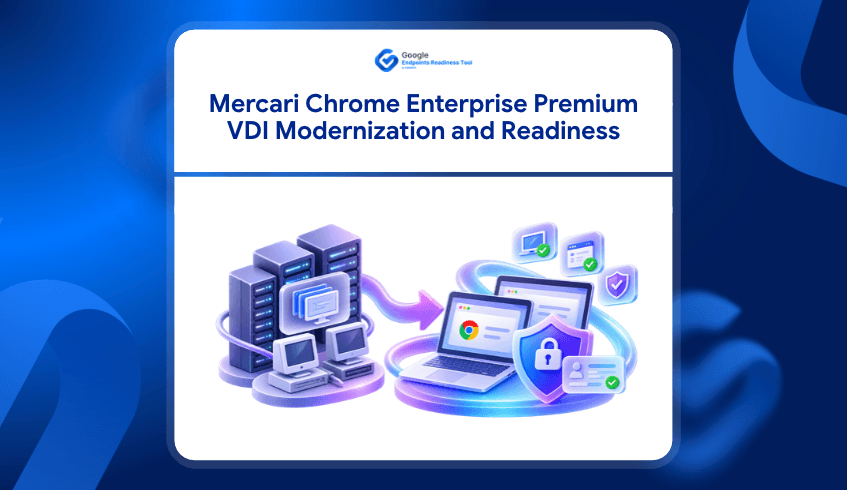
What Mercari Shows About Moving Beyond Legacy VDI With Chrome Enterprise
Virtual Desktop Infrastructure has traditionally helped organizations isolate sensitive work from local devices. But as more business activity moves into the browser, some organizations are reconsidering whether every secure workflow still needs a complex VDI environment.
Mercari provides a recent example.
In its customer service environment, Mercari moved from a combination of legacy devices and VDI toward Chromebooks and Chrome Enterprise Premium. The goal was to simplify the environment while continuing to protect sensitive customer information.
Google reports that Mercari now projects more than a 50% cost reduction over three years across device costs, VDI operating expenses, and security licenses.
The story raises an important question for other enterprises:
Could some existing VDI workloads move to a simpler ChromeOS and secure-browser model?
Before making that decision, organizations first need to understand whether their current environment is actually ready.
Mercari Had a Security Need, But Also an Operational Problem
Mercari’s customer service teams handle personally identifiable information every day, making data protection an important requirement.
Previously, the environment relied on legacy devices connected through VDI. According to Mercari, this created operational friction, increased IT overhead, and required overlapping data protection controls across both the virtual and local environments.
The architecture helped create separation, but maintaining multiple layers also added complexity.
Mercari wanted a simpler way to protect customer data without maintaining the same dependency on traditional VDI infrastructure.
Moving Security Closer to the Browser
Mercari introduced Chrome Enterprise Premium and Chromebooks into its partner customer service environment.
Instead of relying primarily on operating-system-level isolation, the organization moved more data controls into the browser.
Chrome Enterprise Premium allowed Mercari to configure Data Loss Prevention policies that restrict actions such as copying, pasting, or uploading information to destinations outside approved business tools.
The organization was therefore able to simplify its endpoint architecture while continuing to establish boundaries around sensitive customer information.
Existing Chrome Adoption Made the Transition Easier
One part of Mercari’s story is particularly important for organizations considering a similar transition.
Mercari says the rollout was smoother because employees were already using Chrome Enterprise Browser before the security upgrade.
Users did not have to learn an entirely new browser experience when Chrome Enterprise Premium was introduced. The existing browser environment provided a stronger foundation for the change.
That highlights an important principle:
Technology modernization is easier when organizations understand what is already in place before introducing the next layer.
This is where readiness assessment becomes relevant.
Before Reducing VDI Dependency, Understand the Existing Environment
Mercari’s outcome does not mean every VDI workload should immediately move to ChromeOS and Chrome Enterprise Premium.
Different organizations have different application dependencies, device requirements, browser environments, security policies, and operational needs.
A customer service team that works almost entirely through web applications may be a strong candidate for a browser-centric environment.
Another team may depend on Windows applications or other technical requirements that make the transition more complicated.
The challenge is identifying that difference before changing the architecture.
GRT Helps Establish That Readiness Baseline
Google Endpoints Readiness Tool (GRT) is an enterprise readiness assessment platform that helps IT and security teams understand whether their current environment is ready for Chrome Enterprise Premium, ChromeOS, and secure enterprise browsing.
For organizations considering a transition similar to Mercari’s, GRT helps establish visibility into the environment before deployment decisions are made.
ChromeOS readiness can help teams understand device compatibility and application dependencies, while Chrome Enterprise Premium readiness provides visibility into areas that may influence secure-browser deployment.
Instead of beginning with:
“Can we remove VDI?”
teams can begin with a more useful question:
“Which users and workloads appear ready for a different endpoint and browser model?”
Not Every VDI User Needs the Same Migration Path
A large VDI environment can support many different kinds of users.
Some may spend most of their time in browser-based customer service platforms.
Others may rely on locally installed applications.
Some may require specific hardware or peripherals.
Others may only need secure access to a small number of web applications.
Treating all of those users as one migration group can make modernization more difficult than necessary.
GRT readiness insights can help IT teams understand device and application differences across the existing environment, making it easier to identify areas where further investigation is needed before a transition.
Readiness Can Help Identify a Practical Starting Point
Mercari focused on a specific customer service environment rather than treating modernization as a single company-wide change.
That approach is useful for other organizations as well.
A readiness assessment can help teams identify groups where:
applications already align well with browser-based work
devices are suitable for ChromeOS
fewer application blockers exist
the existing browser environment is already well established
CEP deployment conditions can be evaluated before rollout
Those groups may offer a more practical starting point for modernization.
Other workloads can remain on their existing architecture until their dependencies are better understood.
Simplification Can Create Business Value
Mercari’s move was not only about security.
By reducing its dependence on VDI and consolidating several endpoint security tools, the company says it expects to reduce costs by more than 50% over three years within the environment.
Mercari also highlights reduced IT maintenance. Zero-touch enrollment means individual Chromebooks no longer need the same manual setup before being provided to users, while reducing VDI dependency also removes some of the specialized infrastructure required to maintain that environment.
These results are specific to Mercari and should not be treated as guaranteed outcomes for every organization.
But they demonstrate why enterprises are increasingly looking at endpoint and browser architecture as part of a broader modernization strategy.
GRT Supports the Decision Before the Deployment
The important connection between Mercari and GRT happens before an organization makes the move.
Mercari shows what a simplified ChromeOS and Chrome Enterprise Premium environment can look like after the right workloads and security requirements have been identified.
GRT helps another organization investigate whether similar opportunities exist within its own environment.
That means understanding:
which devices are ready
which applications may create migration dependencies
which areas require further review
where Chrome Enterprise Premium readiness gaps may exist
which groups could become stronger candidates for an initial rollout
The goal is not to assume that VDI should disappear.
The goal is to determine where a simpler architecture could realistically work.
From Legacy Infrastructure to a Readiness-Led Modernization Plan
Mercari demonstrates that secure customer service operations do not always require the same endpoint architecture organizations have relied on in the past.
By combining Chromebooks with Chrome Enterprise Premium, Mercari reduced VDI dependency, simplified security controls, and projects significant cost savings within the environment.
For another enterprise, the first step should not be copying that architecture.
It should be understanding its own.
Google Endpoints Readiness Tool helps organizations assess their current devices, applications, browser environment, and deployment readiness before deciding where ChromeOS and Chrome Enterprise Premium can fit.
Mercari shows what the outcome can look like.
GRT helps identify where the journey can realistically begin.
FAQ
Did Mercari use Google Endpoints Readiness Tool?
The Mercari story does not state that the company used GRT. Mercari is used here as a real-world example of moving from a legacy VDI-dependent customer service environment toward ChromeOS and Chrome Enterprise Premium.
Why did Mercari reduce its reliance on VDI?
Mercari says its previous VDI environment created operational friction, increased IT overhead, and required overlapping data protection controls. The company wanted to simplify its architecture while continuing to protect sensitive customer information.
What result does Mercari expect from the change?
Mercari projects more than a 50% cost reduction over three years within the environment, including device costs, VDI running costs, and security licenses.
How does GRT connect to this use case?
GRT helps organizations assess ChromeOS and Chrome Enterprise Premium readiness before deployment. This can help teams understand device compatibility, application dependencies, and readiness gaps before deciding which workloads may be suitable for modernization.
Does GRT determine whether an organization should remove VDI?
No. GRT provides readiness insights that can support planning and further investigation. Decisions about VDI architecture depend on each organization’s applications, security requirements, workflows, and technical environment.