What Korean Air Shows About Moving to ChromeOS Without Leaving Legacy Apps Behind
Moving an organization to ChromeOS is rarely just a hardware replacement project. One of the bigger questions is what happens to the applications employees still depend on, particularly software that was built for traditional Windows environments.
Korean Air’s ChromeOS transformation provides a strong real-world example.
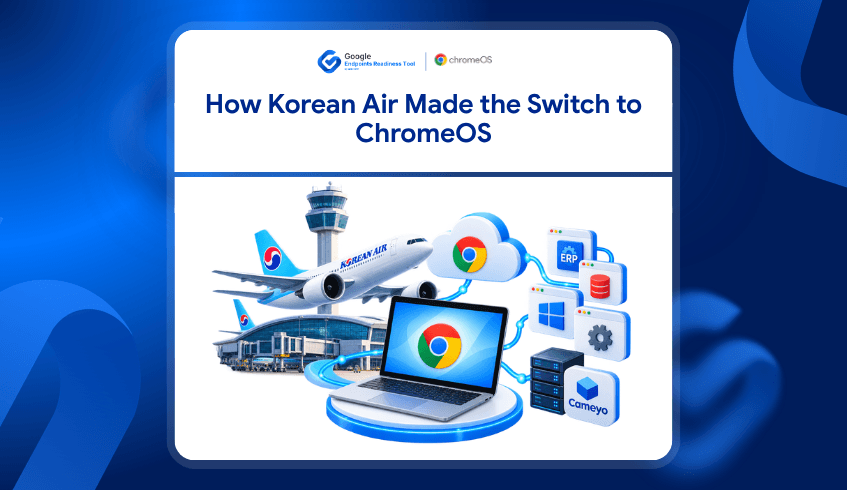
After successfully introducing ChromeOS in its contact center, Korean Air began expanding ChromeOS as an enterprise standard, with plans to scale to 14,000 devices company-wide. But the airline also identified an important dependency: around 40% of its workforce still required access to legacy applications.
Rather than allowing those applications to stop the wider modernization effort, Korean Air worked with Cameyo to bridge that gap.
For other organizations considering ChromeOS, this raises an important question:
Which applications can move easily, and which ones need another path?
That is where application readiness becomes important.
Korean Air Started With a Real Operational Problem
Korean Air’s modernization journey began in its Seoul contact center, where older systems were creating operational friction.
Legacy devices could take five to seven minutes to boot, while forced updates and system issues interrupted work in an environment operating almost around the clock.
The airline initially deployed 670 ASUS Chromeboxes for around 700 users. ChromeOS provided faster startup, centralized management, and a more streamlined environment for contact-center employees.
Following that deployment, Korean Air decided to expand ChromeOS across the wider organization.
But scaling from one use case to thousands of employees introduced another challenge.
Not every employee worked entirely through web applications.
Legacy Applications Did Not Disappear With the Move to ChromeOS
Korean Air found that roughly 40% of its workforce still needed access to legacy applications.
That is an important part of the story because it reflects a situation many enterprises face.
An organization may already use cloud services, browser-based applications, and Google Workspace extensively, but some departments can still depend on Windows applications, ERP systems, specialist tools, or other software that cannot simply be replaced during an operating-system migration.
Korean Air used Cameyo to help provide continued access to those applications while expanding ChromeOS.
Google’s broader work with Cameyo and ChromeOS is designed around this challenge. Virtual application delivery allows organizations to make legacy applications available to ChromeOS users without requiring a complete Windows desktop environment.
The lesson is not that every legacy application should automatically be virtualized.
The lesson is that legacy application dependency needs to be understood before migration decisions are made.
Application Readiness Can Change the Migration Plan
A ChromeOS migration can look straightforward at the device level while becoming much more complicated once application dependencies are considered.
Different applications may require different approaches.
Some may already work well in a browser or have a web-based alternative. Others may need further validation. Some may continue to depend on Windows, while certain applications may be suitable for virtualization.
This means IT teams need more than a list of installed applications.
They need to understand how those applications affect ChromeOS readiness.
That is where Google Endpoints Readiness Tool (GRT) fits.
GRT Helps Identify Application Readiness Before Migration
Google Endpoints Readiness Tool (GRT) is an enterprise readiness assessment platform that helps IT and security teams understand whether their current environment is ready for Chrome Enterprise Premium, ChromeOS, and secure enterprise browsing.
For ChromeOS planning, GRT evaluates the applications present across the existing environment and provides readiness information that helps teams determine where further investigation may be required.
Applications can be grouped into readiness categories such as:
Chrome Ready for applications that are compatible with the ChromeOS migration path
Possibly Ready where additional review or configuration may be needed
Blocker where an application may prevent or complicate migration
Unknown where further assessment is still required
Instead of discovering application dependencies after ChromeOS devices have already been deployed, teams can identify them while planning the migration.
Virtualization Adds Another Path for Applications That Cannot Move Directly
An application being unsuitable for native ChromeOS use does not automatically mean the user or device has to remain on Windows.
GRT also provides Virtualization insights to help teams understand application readiness for virtualization and identify critical applications that may be suitable for continued access through Cameyo.
This creates a more practical migration decision.
Instead of simply asking:
“Does this application run on ChromeOS?”
IT teams can consider:
“If it cannot move directly, is there another viable way to provide access?”
That distinction matters in enterprise environments where a relatively small number of legacy applications can otherwise hold back a much larger group of users.
Korean Air Shows Why Migration Does Not Have to Be All or Nothing
Korean Air’s story is useful because the organization did not wait for every legacy dependency to disappear before moving toward ChromeOS.
Its contact-center deployment demonstrated the operational benefits first. The organization then expanded the strategy while addressing the legacy applications still required by part of its workforce.
For another organization, the percentages and applications will be different.
One department may already be almost entirely browser-based.
Another may rely on one critical Windows application.
A third may have several applications that need additional investigation.
Treating all of those users as having the same migration readiness can make planning unnecessarily difficult.
Application-level insight helps teams identify those differences earlier.
From Application Inventory to a Practical ChromeOS Migration
The Korean Air example shows that successful ChromeOS adoption does not necessarily require eliminating every legacy application first.
What matters is understanding the dependency and choosing an appropriate path.
That could mean moving a web-ready application directly, reviewing another application further, replacing an application where a suitable alternative exists, or using virtualization when continued access is required.
GRT helps bring that readiness information together before organizations make wider migration decisions.
Instead of allowing a few unknown applications to create uncertainty around an entire ChromeOS project, IT teams can see where the actual dependencies exist and plan around them.
Moving Forward Without Losing Access to Critical Applications
Korean Air is scaling toward a ChromeOS environment while still supporting employees who depend on legacy software.
That makes its experience a useful reminder that modernization and legacy application access do not always have to be competing goals.
For organizations considering a similar move, the first step is understanding what is already ready and what still needs another path.
In this context, Google Endpoints Readiness Tool helps IT teams evaluate application and device readiness, identify potential migration blockers, and understand where Cameyo virtualization may provide an alternative path for critical applications.
The goal is not simply to determine whether an organization can move to ChromeOS.
It is to understand who can move, what can move with them, and what needs to be addressed before the migration expands.